| Support Category: Course Launch | Relaunch Completed Course |
| Specialist Notes: |
Recently, there have been an uptick in inquiries about completing the Sponsor Responsibilities training but forgetting complete the quiz.
After testing the course, we determined that the course moves to completion whether you complete the quiz or not. However, you can relaunch it to go back and complete the quiz with these instructions – see response. The course status will not be affected. The slide automatically progresses forward within seconds, so we suspect this may be the reason for missing the quiz.
| Standard Response: |
While you've completed the course, you can still access the quiz within Sponsor Responsibilities by relaunching and navigating back to the slide.
1. Navigate to your completed transcript; to do so, change the Filter by Training Status to Completed.
2. Click the downward-facing arrow, next to the "View Completion Page" button for the training.
3. From the drop-down menu, click Launch.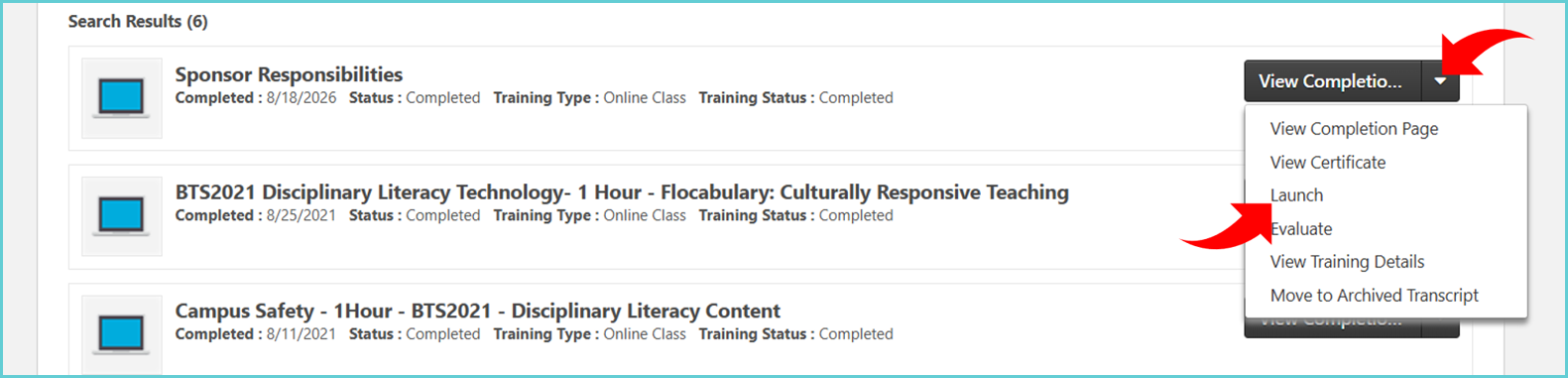
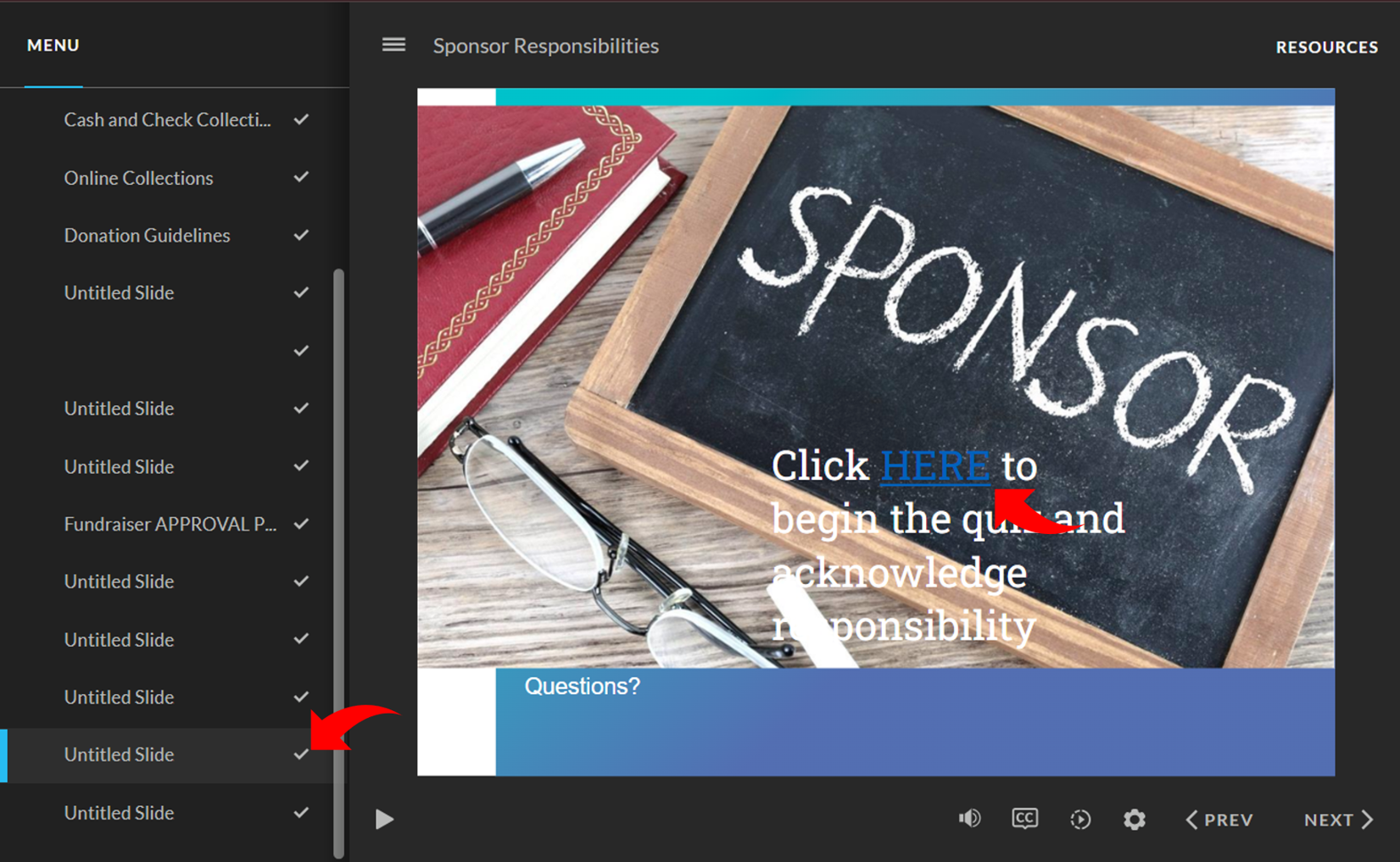
4. Once the course is open, navigate to the second to last untitled slide and "CLICK HERE". This link opens a new tab allowing you to take the quiz.